New in 1.8 · Redesigned for iPhone Duo

Practise the cello,
not points.

Ponticello puts your own fingerboard tapes on the screen, lets you read the music as tab, score or a falling highway, and slows it, loops it and arranges it down to where you are. No account, no scoreboard, and nothing leaves your phone.

  • 1,272cello chord voicings
  • 4arrangement levels
  • 0accounts or uploads
Bach’s Prélude, recorded on the iPhone Duo simulator (iOS 27).
The Ponticello icon on the iPhone Duo home screen: a glassy cello bridge with four coloured strings on an indigo ground.

The new mark

A little bridge, with four strings on it

Ponticello is Italian for “little bridge”, and that is the mark: a cello bridge seen from the player’s side — the arched crown, the waist, the feet and the heart — with the four strings resting on it in the colour of the note each one sounds open. C green, G red, D blue, A yellow: the same colours the fingerboard, the chart and the play screen use for the same strings.

Everything a practice session needs

Read it your way. Play it at your pace.

Three ways to read

Tab, score or highway — same music, your choice

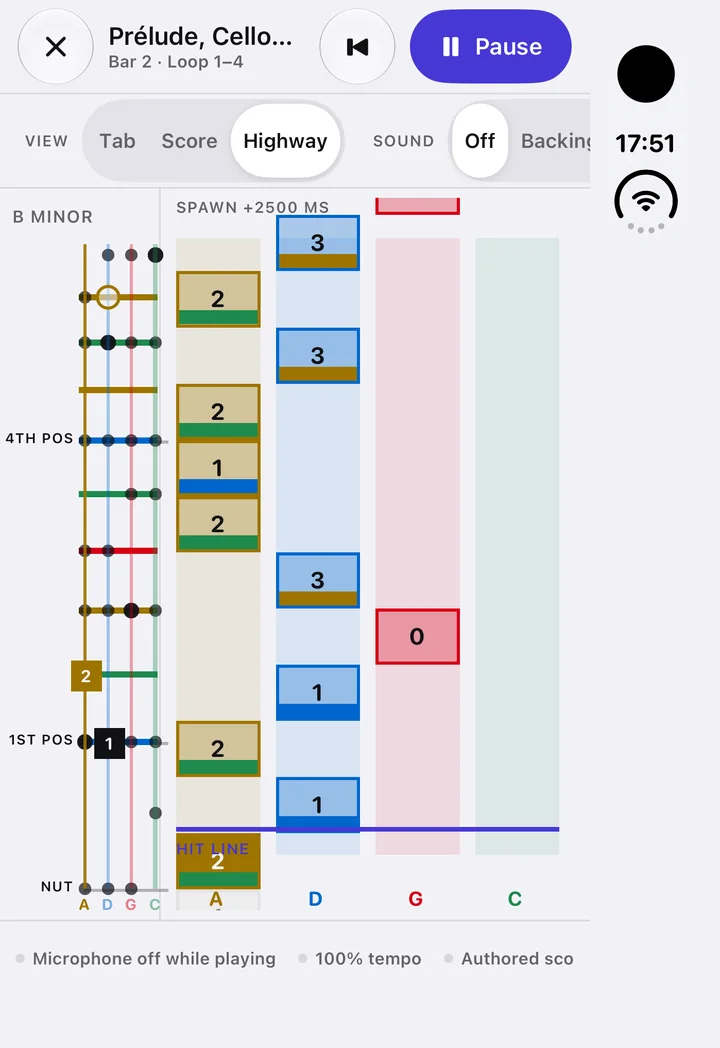
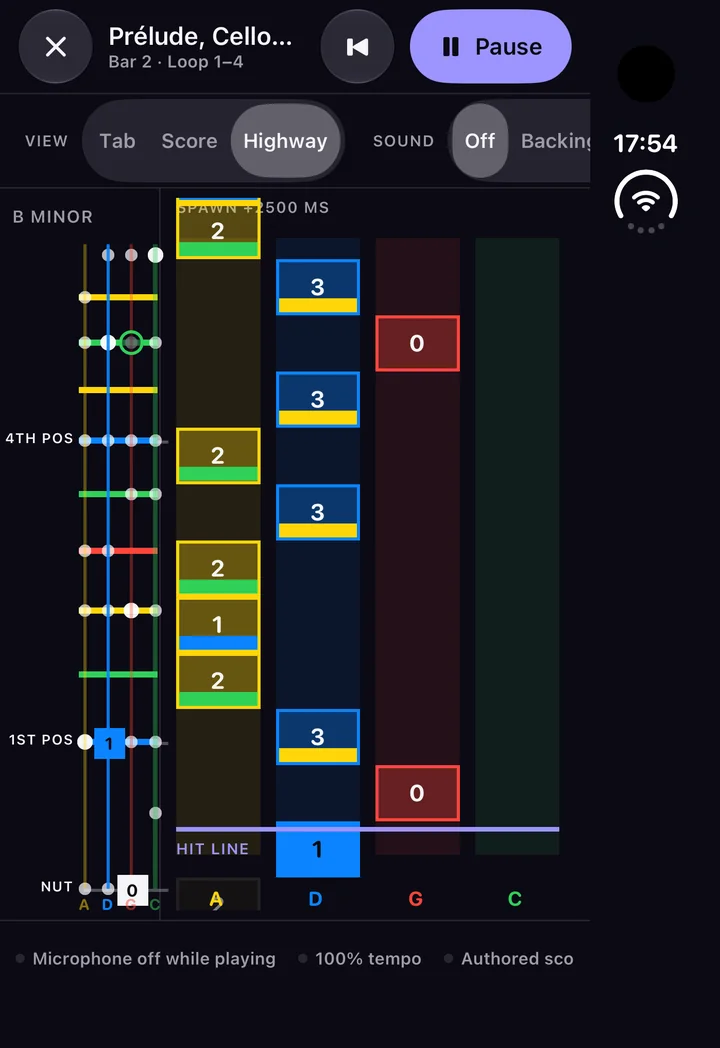
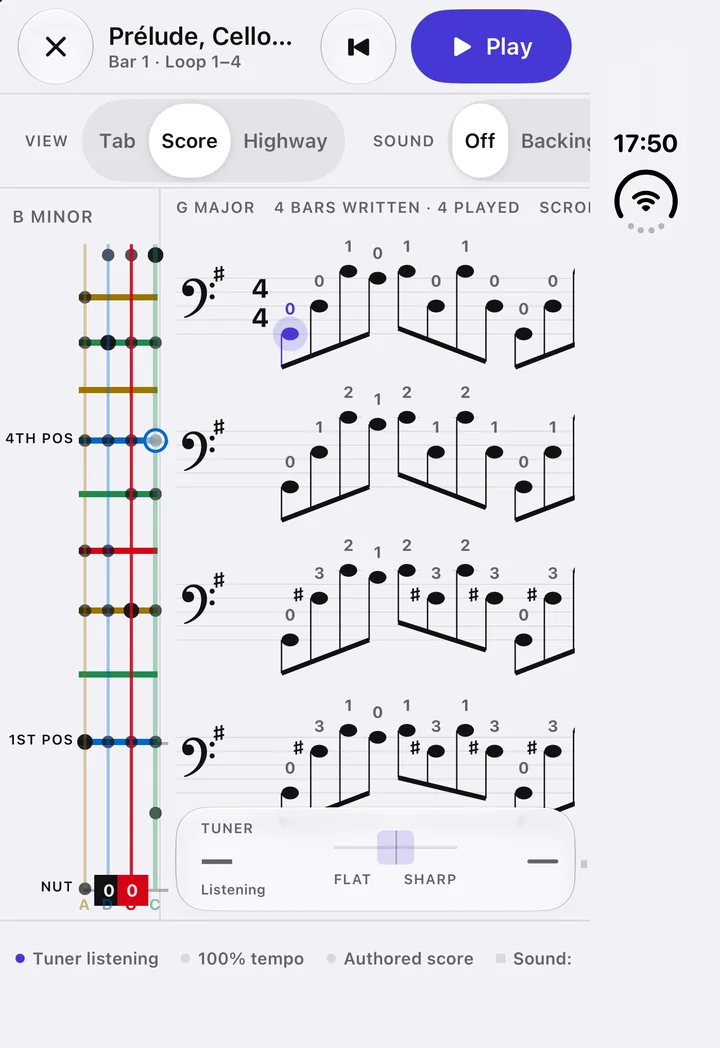
Finger numbers on four string lines, engraved bass-clef notation with fingerings, or a highway of notes falling towards the hit line in four string-coloured lanes. The fingerboard beside it lights the note you are playing, on your tapes.
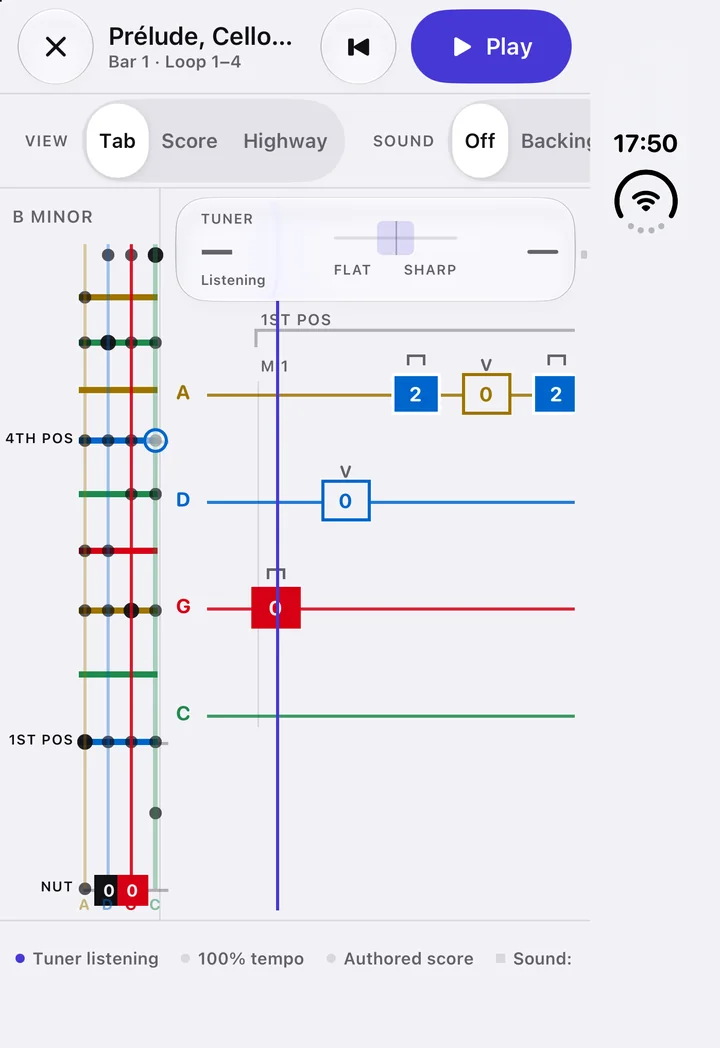
Tab view: Bach's Prélude as finger numbers on four coloured string lines, with the fingerboard beside it.
Score view: engraved bass clef with finger numbers above each note.
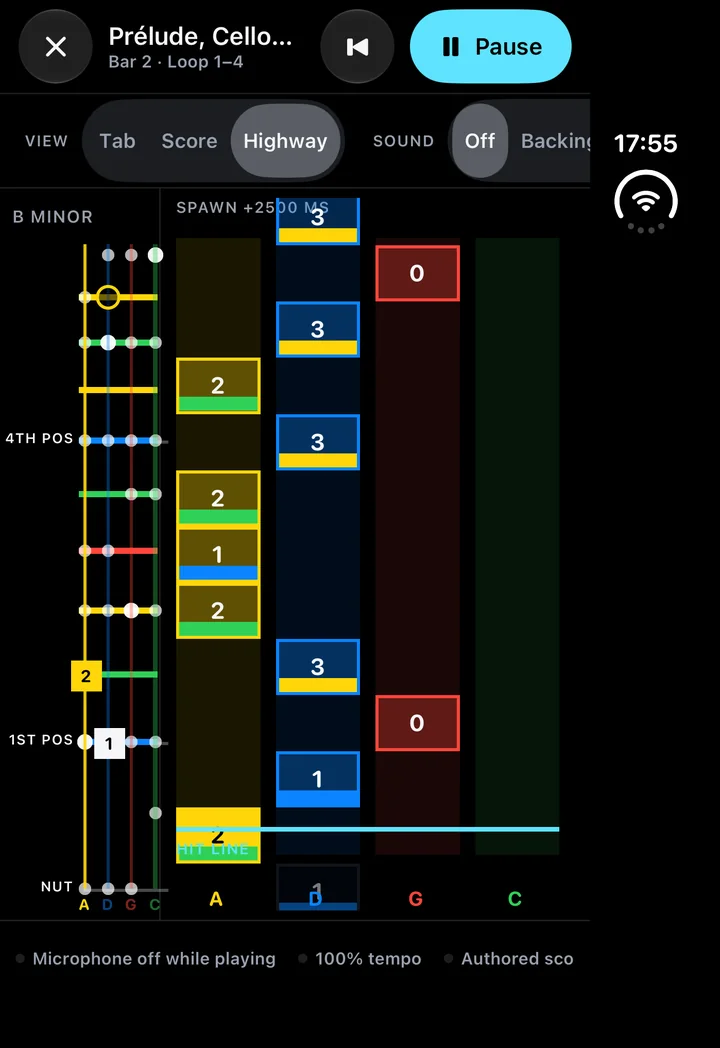
Highway view: notes falling in four coloured string lanes towards the hit line.

Make it your practice

Arranged down to where you are

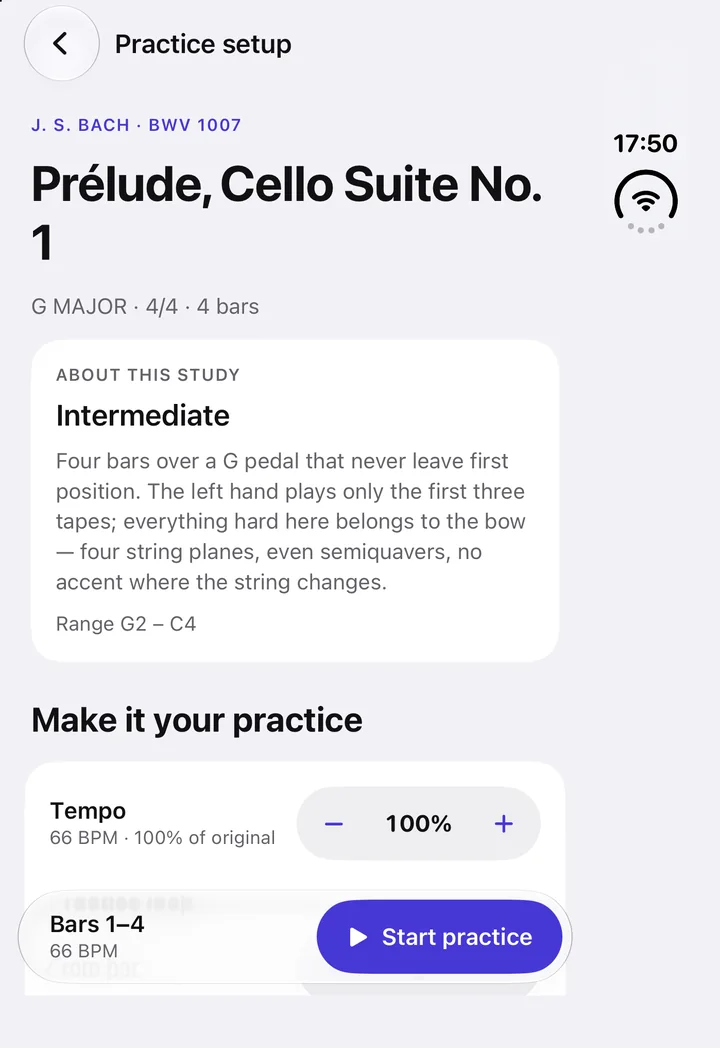
Every song comes in four levels, from held bass notes a beginner can reach to the full melody. Pick the bars to loop, slow the tempo, choose which part of the original to play, and start from a Liquid Glass bar that stays under your thumb.

Practice setup: the piece, tempo and loop steppers, and a floating Start practice button.

Tuner

One pitch engine, one answer

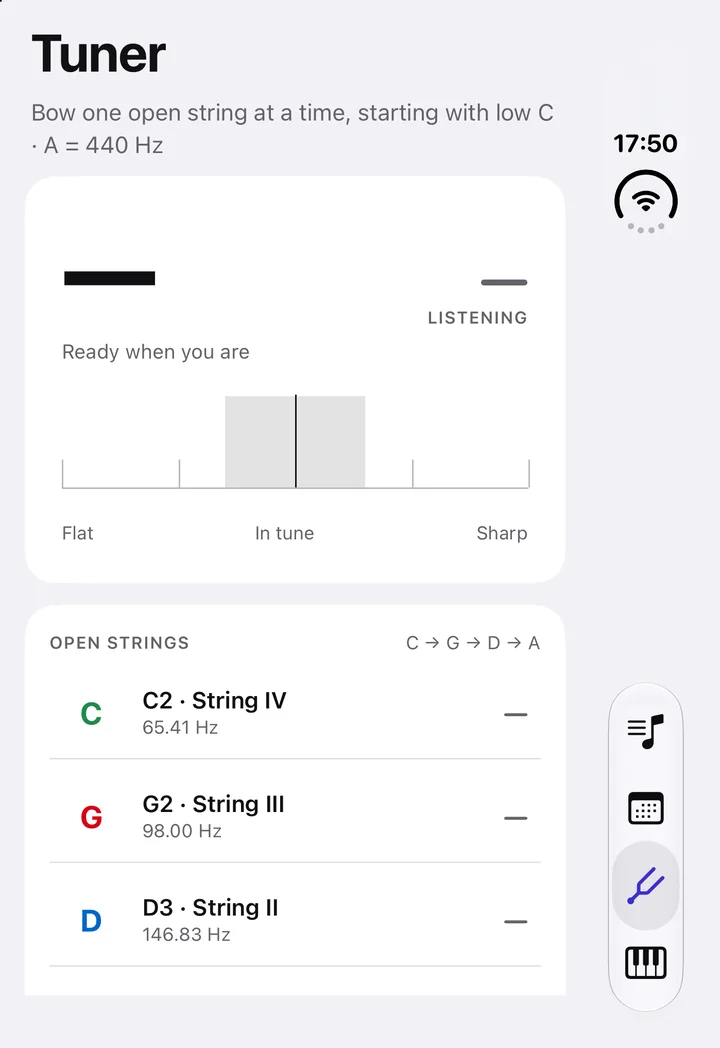
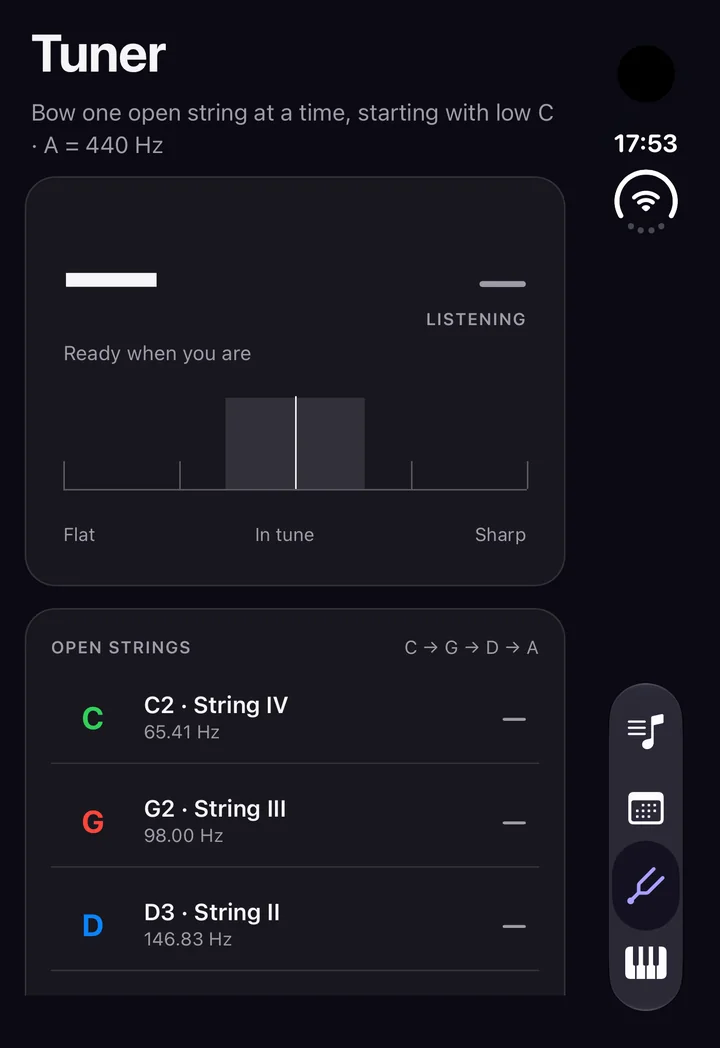
The tuner uses the same analysis as the play screen, built for the cello’s low register — so it never confuses a low C for the C an octave up. It is a tab of its own now, and the microphone runs only while you are on it.

The tuner tab: a cents dial and the four open strings C, G, D and A.

Your practice

Time actually played, kept on the phone

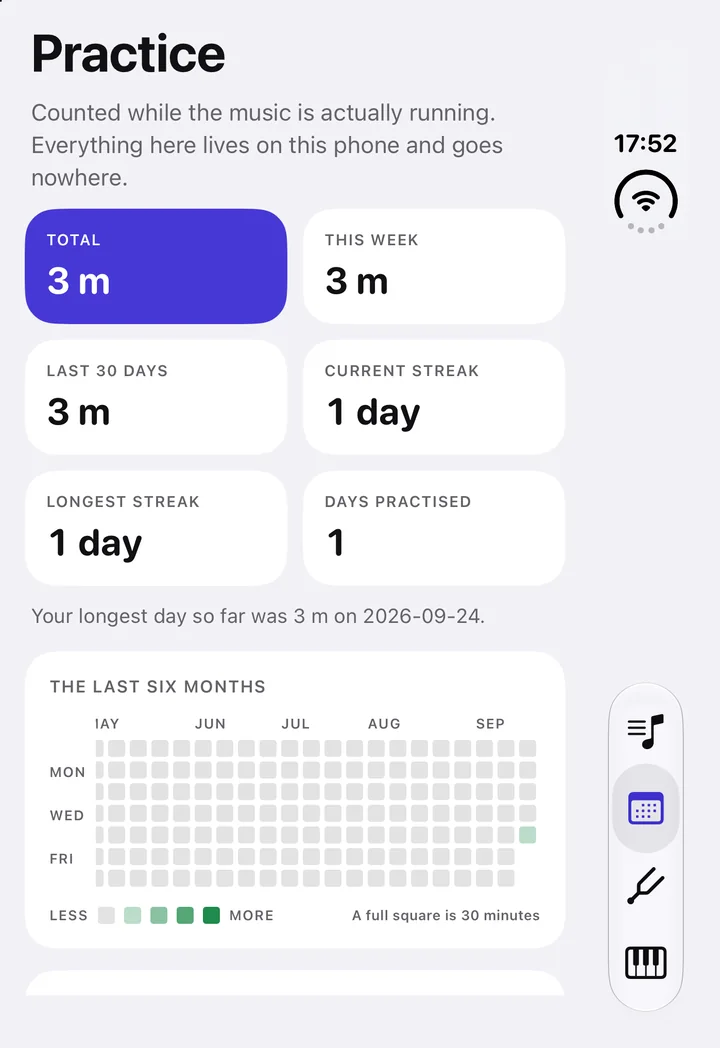
How long the music really ran, per day — totals, streaks and six months at a glance. No upload and no score out of ten: twenty minutes played badly is twenty minutes practised.

The Practice tab: tiles for total time, this week and streaks, above a six-month calendar.

Chords, worked out for the cello

Shapes for C–G–D–A, not a guitar

Chord atlas

Every chord in your key, on your fingerboard

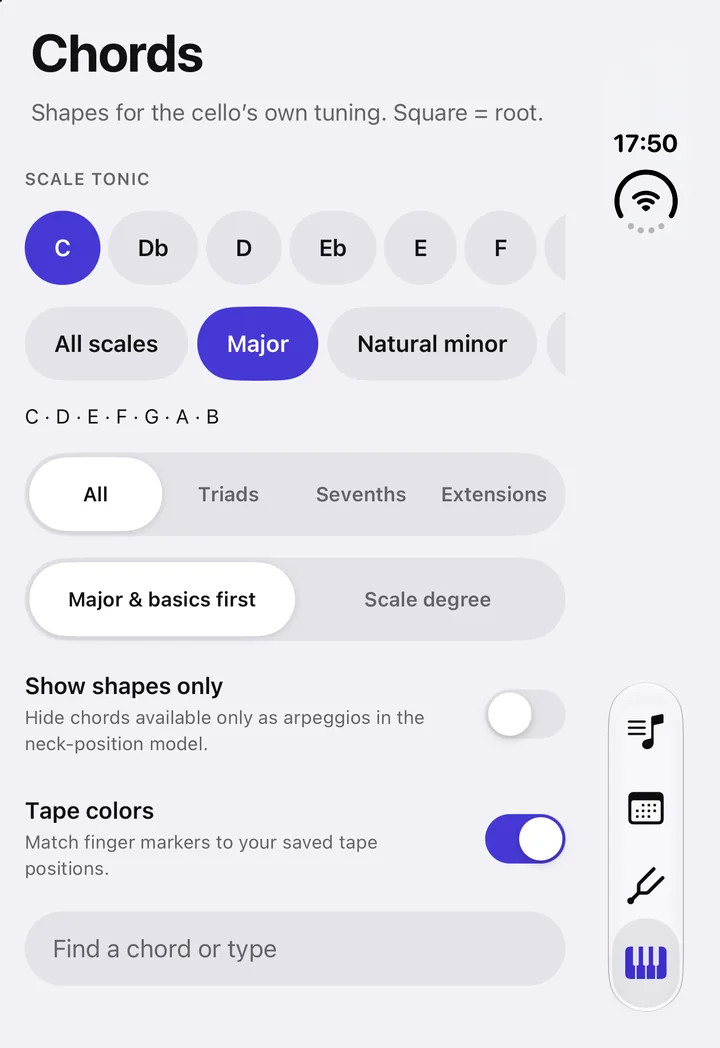
Pick a tonic and a scale and see every chord in it — triads, sevenths and extensions — drawn on the cello’s fingerboard in your tape colours, with roots as squares. Where no comfortable grip exists, Ponticello says so and gives you the arpeggio instead.

The Chords tab: scale tonic, scale mode and chord family filters.

Chord charts and progressions

Charts that scroll, progressions you write

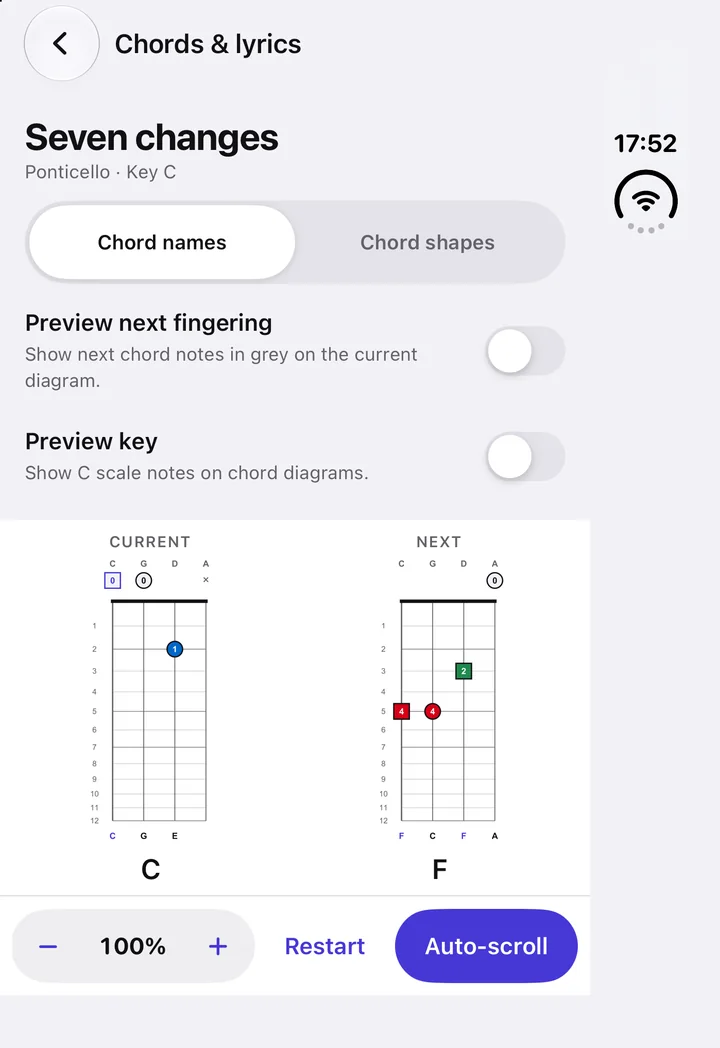
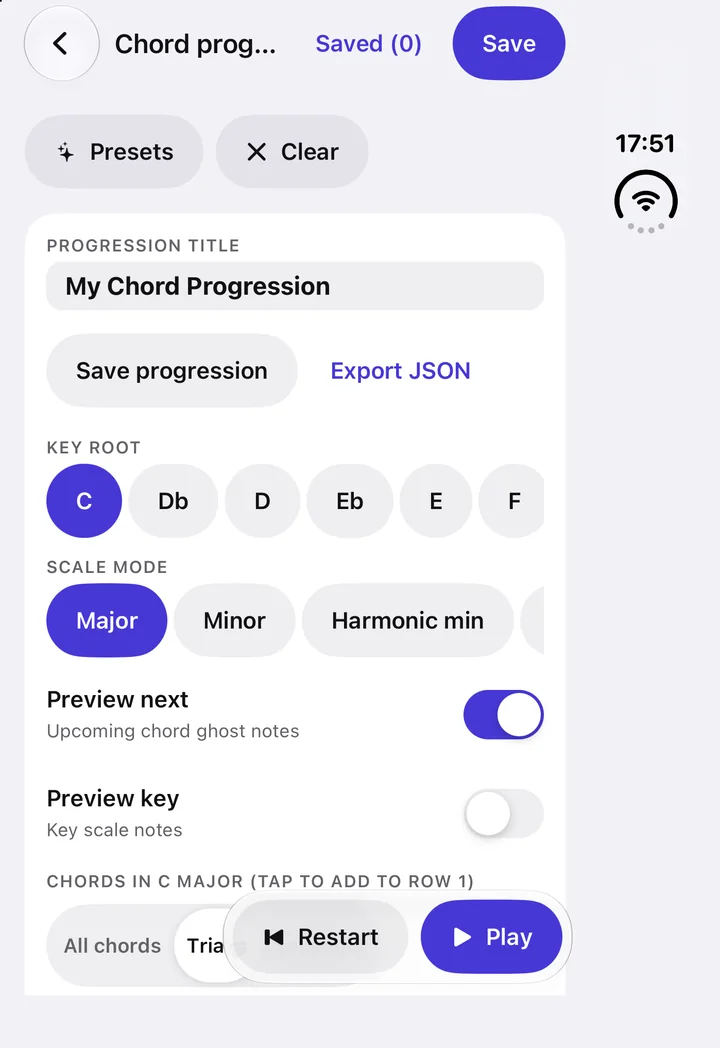
Read a song as chord names or as cello shapes, rolling along at your tempo with the next fingering previewed. Or build your own progression from a preset or from nothing, and play it back.

A chord chart showing the current and next chord shapes, with auto-scroll controls.
The chord progression builder: key, scale mode, preview toggles and a floating transport.

Ponticello 1.8

Made to feel at home on the iPhone Duo

The whole interface was rebuilt on the phone it now lives on — and it still runs on Android and the web.

Tabs and themes

Four tabs, three looks, one tap each

The tab rail on the Duo’s edge is the system’s own. The theme button beside the title cycles Light, Dark and Neon — and the tab bar, the glass and the status bar follow the theme you picked, not the phone’s.

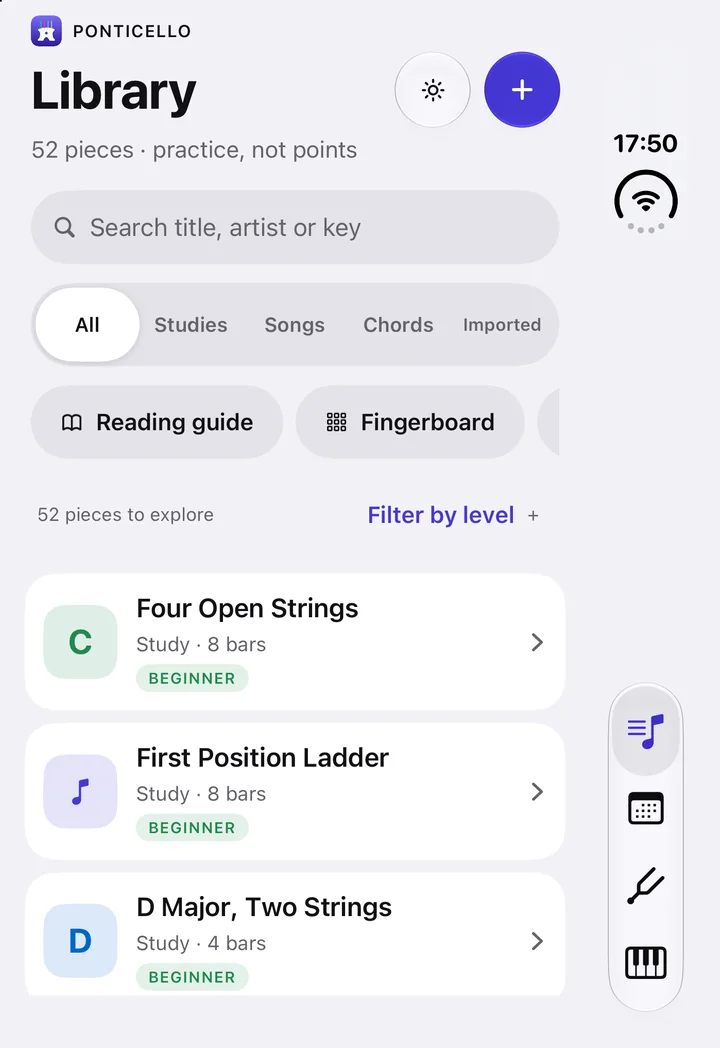
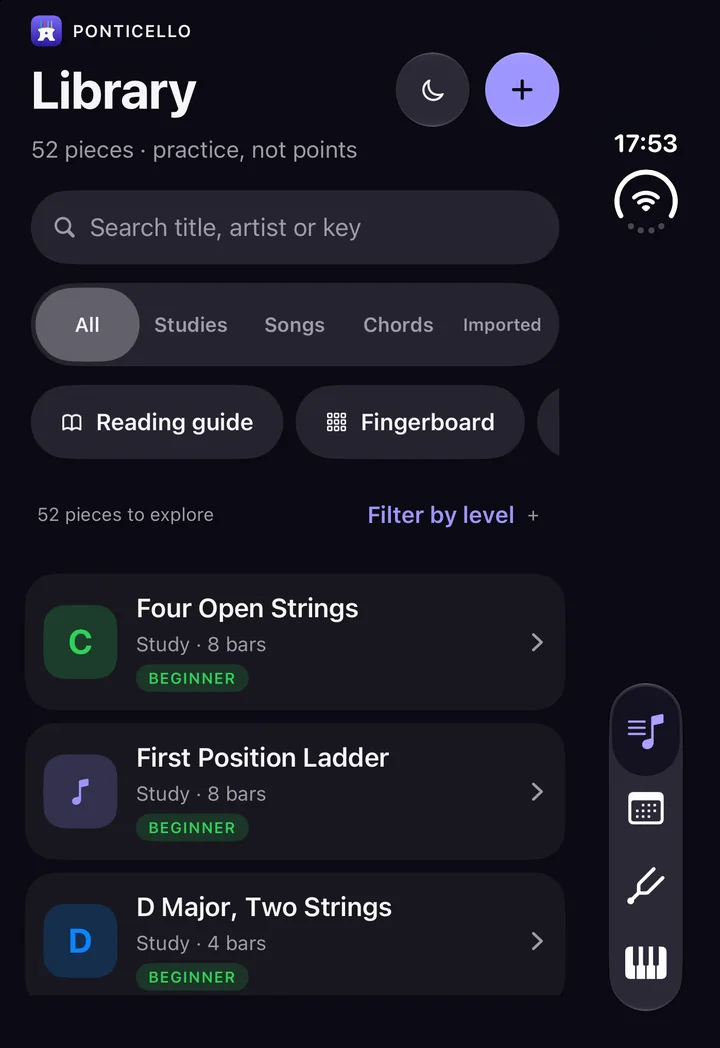
The library in the Light theme: grouped cards on a soft grey ground.
Light
The library in the Dark theme: near-black ground with indigo accents.
Dark
The highway in the Neon theme on a true-black ground.
Neon

And the rest of the kit

Reference pages, one tap from the library

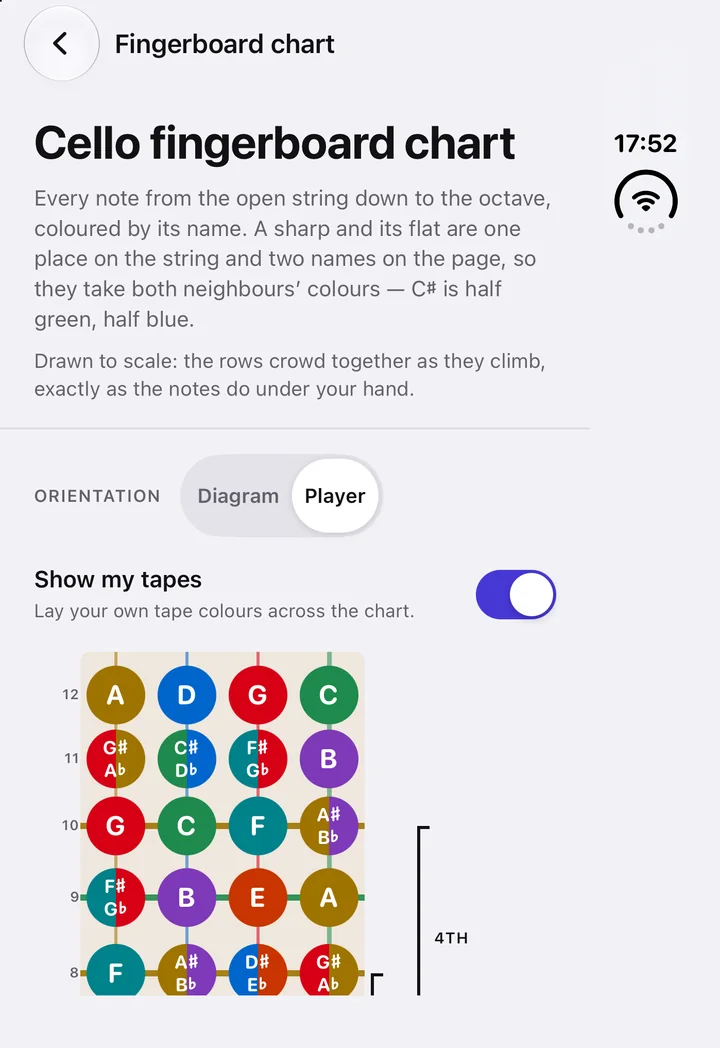
Fingerboard chart showing every note, coloured by its letter name.
Fingerboard chart. Every note, coloured by its name.
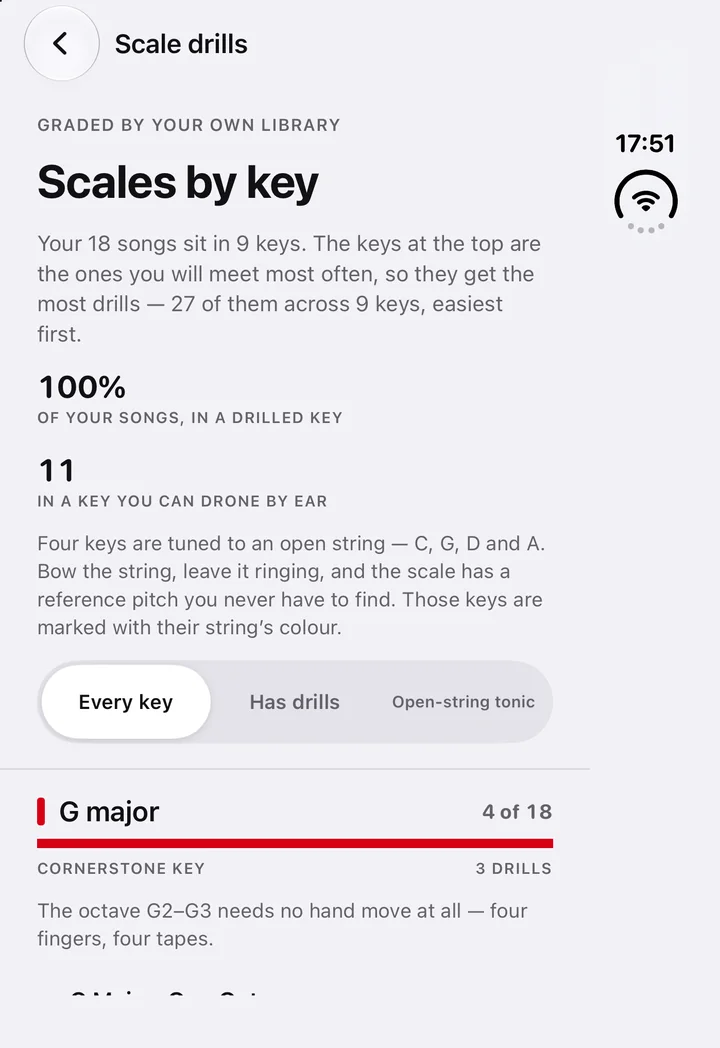
Scales by key, ordered by how many songs in your library use each key.
Scales by key. Drills for the keys your music uses.
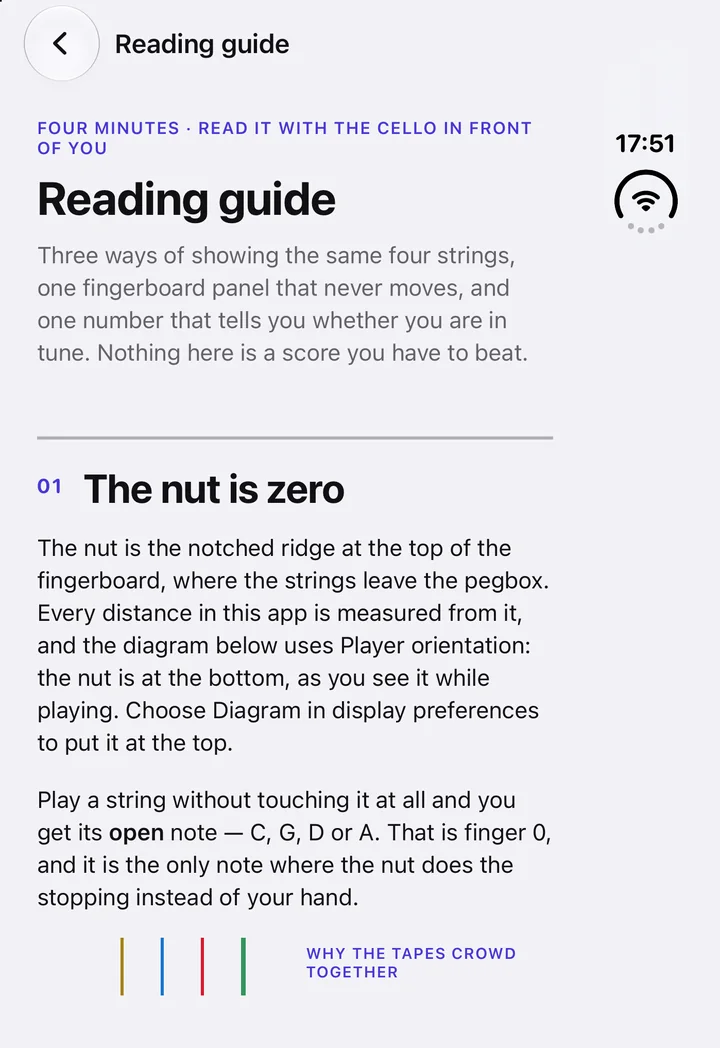
The reading guide explaining the nut, finger numbers and tapes.
Reading guide. The nut is zero; the numbers are fingers.
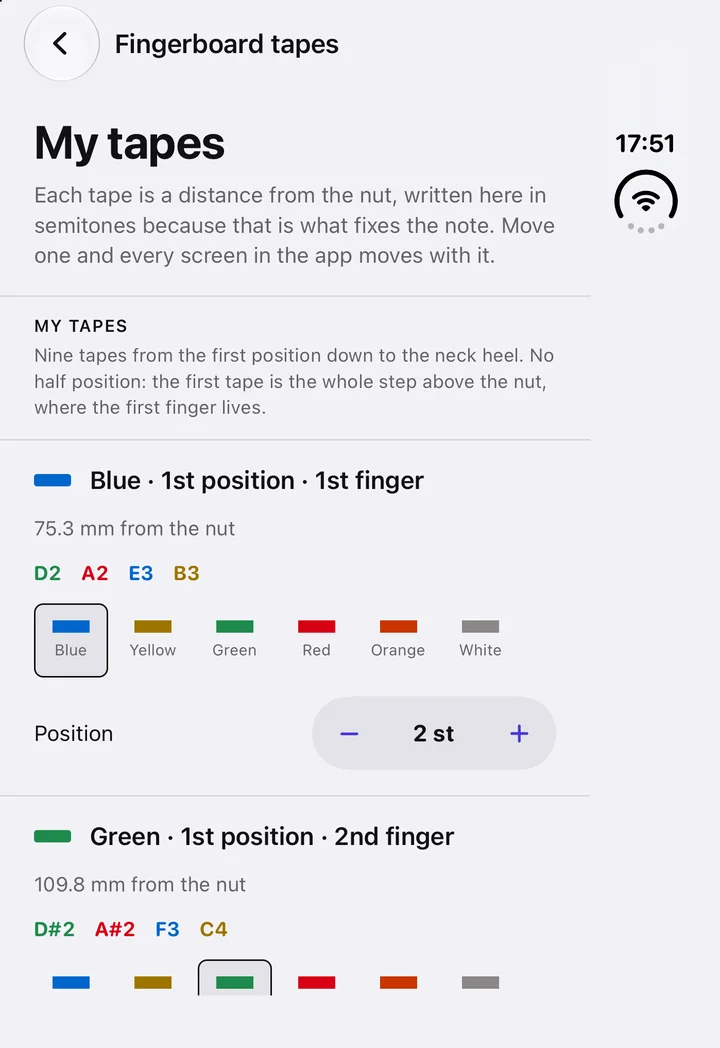
My tapes: each fingerboard tape with its colour, position and the notes it marks.
My tapes. Match the colours on your own cello.
The tuner in the Dark theme.
Tuner, dark. Every screen in every theme.
The highway in the Dark theme, mid-play.
Highway, dark. Mid-play, microphone off.

Promises

What it will not do

Free and open source

Build it, fix it, make it yours

Ponticello is built with Expo and React Native, with a pure-TypeScript core — the fingering solver, the MIDI arranger, the pitch detector and the chord catalogue — covered by over a thousand tests. Build your own library from your own MIDI files, fix a fingering, or add a feature.

git clone https://github.com/GMBermeo/ponticello
cd ponticello
npm install
npm run ios          # iPhone Duo simulator
npm run web          # or try it in the browser
npm run build:library:free
npm test